Breakable 2D Sprites
A downloadable tool
Turn any sprite with a transparent background into a solid, hittable, breakable 2D object, no manual collision authoring, no hand-placed cracks.
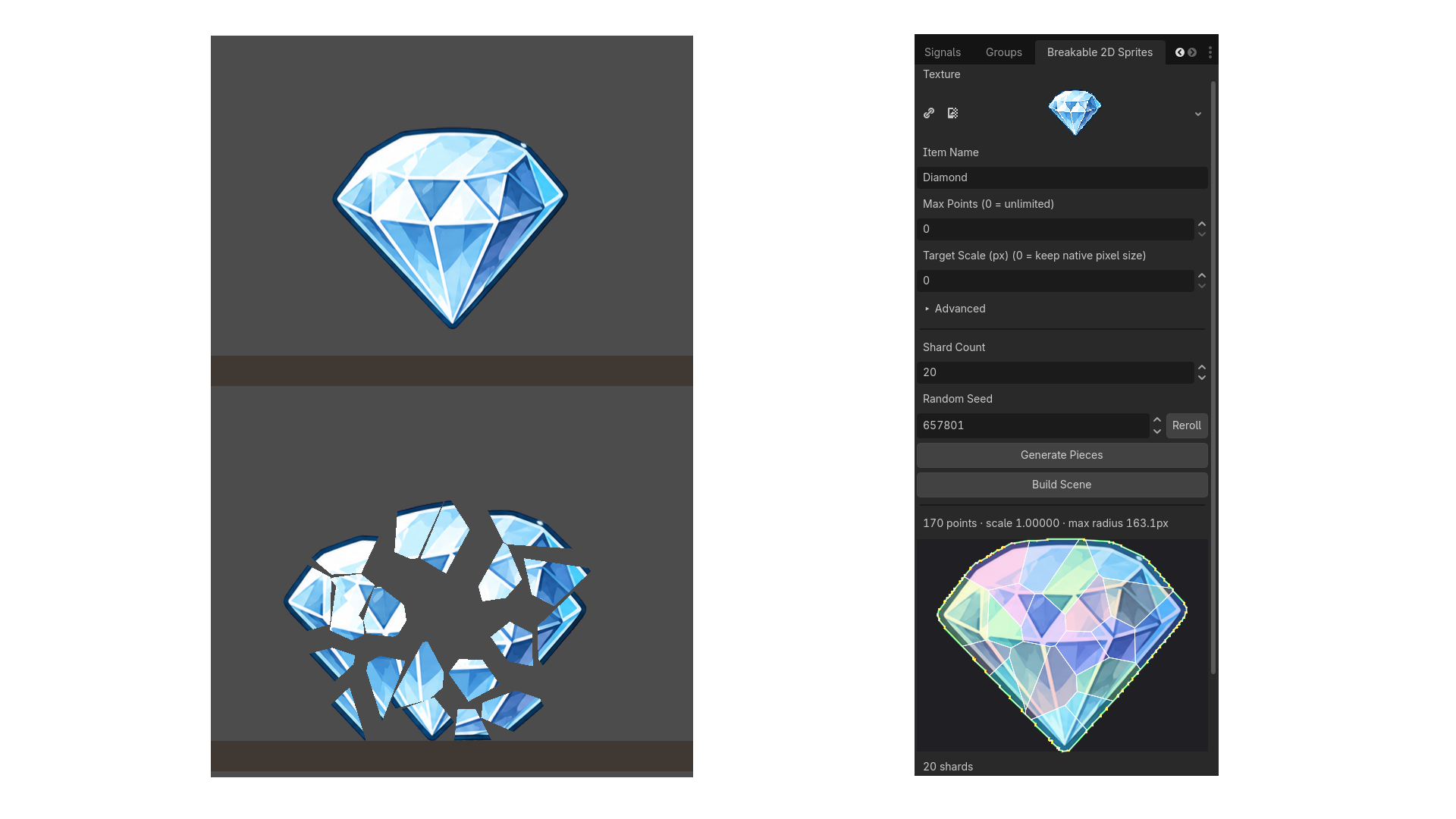
What it does Traces a sprite's alpha channel into a polygon using Godot's own BitMap.opaque_to_polygons, the traced shape hugs the actual art, not a bounding box. Shatters that silhouette into irregular Voronoi shards (verified to cover the full source area with no gaps or overlaps), each with correct UVs into the original texture. Builds a self-contained, ready-to-place scene in one click: solid collision, correct rendering, and hit detection are all pre-built and visible in the editor immediately, not an empty placeholder that only appears once the game runs.
Workflow
- Pick a texture, name it, and set Shard Count / Random Seed to taste.
- Click Generate Pieces, traces and shatters in one step, with a live preview.
- Click Build Scene.
- Drag the resulting .tscn into any level. It's solid on placement.
Breaking it Two ways, your choice: Call take_hit(global_position) directly from any weapon or bullet script, works no matter how your projectiles are built. Or set a physics layer mask on the item and let it detect hits automatically.
Once broken, the intact body swaps to one physics-driven piece per shard, correctly textured, flung outward from the impact point, with tunable impulse, spin, gravity, and lifetime. Resizing or rotating the placed item beforehand works too, the whole break (piece size, position, and launch direction) scales and rotates with it.
A ready-to-run test scene and sample sprites are bundled with the addon, so you can try the whole workflow in under a minute without any of your own art.
Requirements Godot 4.6 or newer (tested on 4.6 and 4.7.1). No external dependencies.
Download
Click download now to get access to the following files:
Comments
Log in with itch.io to leave a comment.
Pretty useful, Thanks for posting!